
Ultimate Guide to Automated Returns Processing
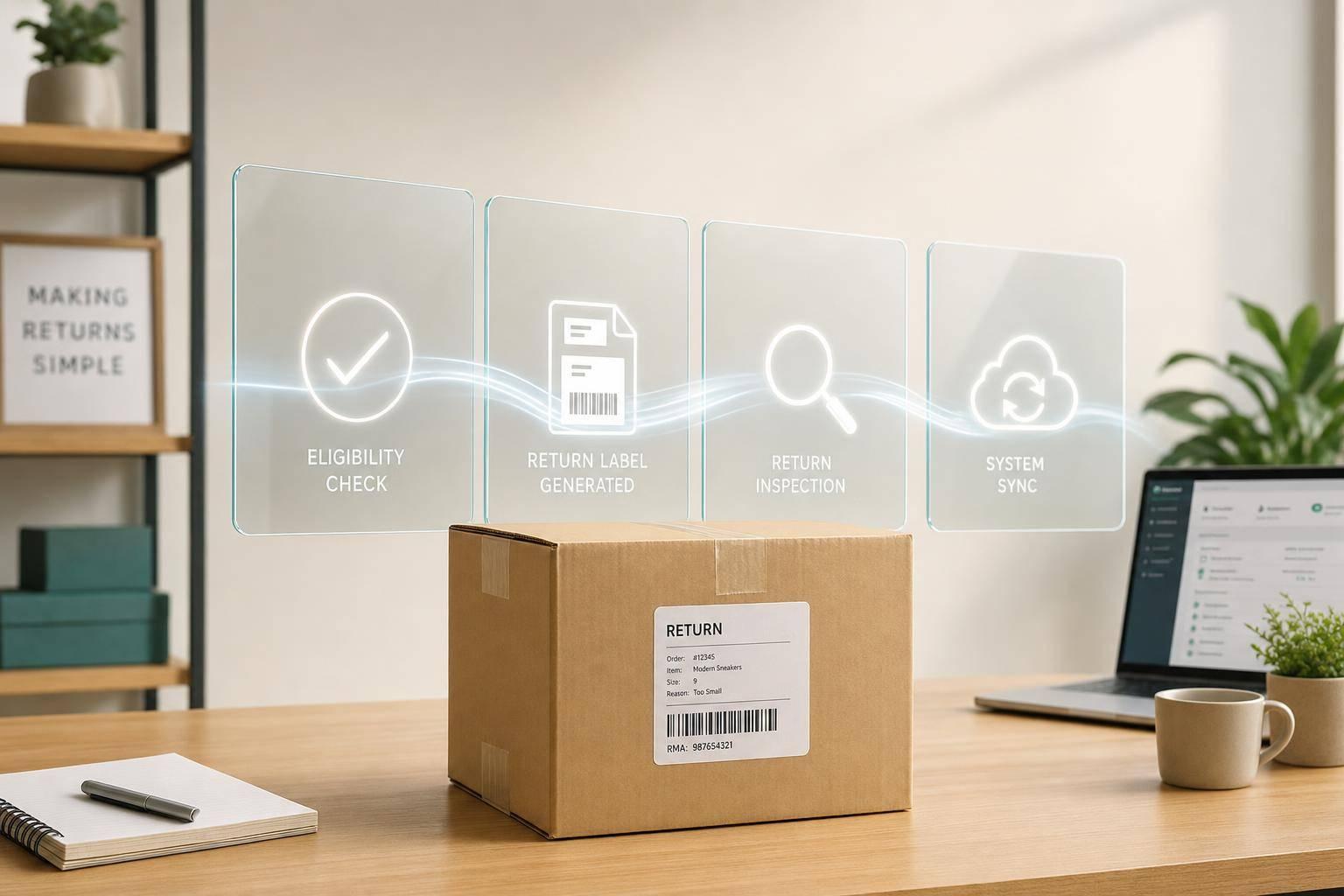
If your brand handles a lot of returns, automation can cut return costs from _$12.50–$26.50_ to *_$2.50–$5.50 per return_*, shrink refund time from 5–9 days to 1–2 days after inspection, and reduce errors from 4.2% to 0.3%.
I’d sum it up like this: automated returns processing replaces emails, spreadsheets, and manual entry with a connected flow that handles policy checks, RMA approval, label creation, warehouse grading, refunds, exchanges, and system updates. It matters because return rates often hit 20%–30%, and in apparel and footwear they can go past 40%.
Here’s the plain-English version of what this article covers:
-
Why brands automate returns
- Manual returns take 15–20 minutes each
- Labor alone can cost $10–$15 per return
- Slow refunds can lower repeat purchase rates
-
How the workflow works
- Customer starts in a self-service portal
- Rules check eligibility, timing, SKU, and reason codes
- The system sends a shipping label
- The warehouse scans, inspects, and grades the item
- The WMS, ERP, and CRM update after each step
- Refunds or exchanges move once inspection is done
-
What changes after setup
- Up to 80% fewer return-status support tickets
- Up to 40% of return requests shifted to exchanges
- 18%–25% more recovery value from rule-based routing
- Sellable stock goes back online sooner
-
What systems are involved
- Returns platform
- WMS
- ERP
- Scanners or RFID tools
- Analytics
- 3PL support when needed
-
How to roll it out
- Start with a returns audit
- Fix policy rules before scaling
- Pilot one high-volume, low-complexity category first
- Track processing time, cost per return, exchange conversion, restock rate, and recovery value
The main idea is simple: software should handle repeatable return decisions, while people handle the edge cases. That’s how high-volume brands keep refunds moving, inventory synced, and return costs under control.

Manual vs. Automated Returns Processing: Cost, Speed & Accuracy
How an Automated Returns Workflow Works End to End
Customer Initiation, RMA Rules, and Label Creation
The process starts when a customer opens a self-service returns portal, enters their order details, and picks the items they want to send back. The portal checks return windows, SKU eligibility, customer history, and reason codes like size/fit or defect. Then it either approves the request on the spot or sends it for review.
Once approved, the system creates a prepaid label through shipping carrier integrations and sends it to the customer by email or SMS. In automated workflows, RMA-to-label time can fall to under 1 minute.
A self-service portal like this can cut returns-related support tickets by up to 80%. And exchange-first workflows can show alternate sizes or colors before a refund is completed, which can turn up to 40% of return requests into kept revenue.
After that, the return moves to warehouse receiving and inspection.
Receiving, Inspection, and Disposition in the Warehouse
When the package reaches the facility, a staff member scans the barcode or RFID tag with a mobile scanner. That scan updates the return status in the WMS right away and kicks off the next workflow step. The system then walks the associate through a set inspection checklist.
A clear 4-tier grading system cuts out guesswork at the warehouse station:
- Grade A: Unopened, original packaging - restock immediately
- Grade B: Opened but undamaged - repackage and resell as open box
- Grade C: Minor damage - route to refurbishment or liquidation
- Grade D: Damaged or unsellable - dispose or donate
That disposition grade then triggers refund or exchange processing.
Refunds, Exchanges, and System Sync Across WMS, ERP, and CRM
Once the warehouse posts the disposition, connected systems update on their own. Each system responds to the event from the one before it. Approval, delivery, inspection, refund, and CRM updates move across systems automatically.
Take a Grade A verdict. The WMS posts an item receipt, sellable inventory increases across all sales channels, the ERP issues a refund or store credit, and the customer gets a notification, all without a manual handoff. The result is simple: inventory, finance, and customer records stay aligned without manual re-entry.
sbb-itb-eafa320
Business Impact: Cost, Speed, Accuracy, and Customer Experience
Lower Processing Cost and Fewer Manual Touchpoints
When a returns workflow is automated from start to finish, the gains show up fast: lower cost, less manual work, better accuracy, and a smoother buyer experience.
Manual returns processing usually costs $12.50–$26.50 per return. With automation, that drops to $2.50–$5.50 per return - a 70–80% reduction. That’s not a small change. It can reshape unit economics, especially for brands dealing with high return volume.
Accuracy improves too. Because the system applies return rules right when the customer starts the process, mistakes fall sharply. Error rates drop from 4.2% in manual workflows to 0.3% in automated ones. In plain English, that means fewer refund errors, fewer missed returns, and fewer customer disputes.
This matters even more during peak seasons. Instead of piling extra work onto the team, automated eligibility checks, label creation, and disposition routing can take on more volume without needing matching headcount growth.
Faster Refund Cycles and Better Inventory Recovery
Speed has a direct effect on both cash flow and retention.
When refunds are triggered automatically after inspection, approved returns move through the system much faster. Automated processing cuts refund cycles from 5–7 days to 1–2 days. And that speed shows up in buyer behavior: brands that complete refunds within 24 hours see 2.4x higher repeat purchase rates. On the flip side, if the refund takes more than 48 hours, repeat purchase probability drops by 17%.
There’s also the inventory side of the equation. Faster check-in gets sellable items back into stock sooner, which gives those units another shot at full-price or near-full-price sale. On top of that, rule-based disposition routing helps brands avoid sending too much product to liquidation. Compared with manual workflows, condition-based routing can recover 18–25% more value from returned merchandise, with resale rates reaching 65–80% on returned units.
Better Customer Communication and Return-Reason Data
Automation also improves the part customers notice most: communication.
Instead of making buyers chase updates, the system sends them automatically at each key step - return initiated, carrier pickup, warehouse receipt, and refund or exchange completed. That cuts down on “Where’s my refund?” contacts and keeps the process feeling clear and predictable. Pair that with a self-service portal, and return-related support tickets can drop by up to 80%.
That shift gives the support team room to focus on edge cases instead of status checks.
There’s another upside here that often gets missed: cleaner return data. Each return can be tied to a structured reason code like "too small" or "not as described." Over time, those codes start telling a story. A SKU with an unusual number of "not as described" returns may need better product photos, tighter copy, or updated sizing details.
When teams act on those patterns, they can cut avoidable returns by 15–25% across several product cycles. That’s margin improvement driven by better information. Returns data stops being just a reporting output and starts shaping policy, product pages, and merchandising decisions.
Technology Stack and 3PL Support for Automated Returns
Core Systems: Returns Platform, WMS, ERP, Scanning, and Analytics
Once the process is mapped, the next step is figuring out which systems need to connect to keep everything moving.
Automated returns runs on five linked systems: the returns platform, WMS, ERP, scanning hardware, and analytics. The returns platform applies policy and fraud rules. In plain English, it works as the rules engine. The WMS manages receiving and inspection, then updates inventory locations for restock. The ERP records inventory changes, creates credit memos, and assigns costs to the right reason codes. Scanning hardware connects each physical return to its RMA.
The biggest bottleneck usually isn't warehouse throughput. It's policy setup and data flow.
Analytics follows performance across the stack, including cycle time, recovery rates, return reasons, and total cost per return across SKUs. Before launch, reconcile item masters across systems to avoid failed handoffs.
That stack only does its job when the warehouse and transportation partner can update the same return in real time.
How JIT Transportation Supports Automated Reverse Logistics
JIT Transportation provides custom 3PL services that include ERP integration and returns management (RMA), along with distribution and fulfillment services. That ERP integration and RMA support help keep inventory and financial updates in sync.
JIT also offers value-added services such as pick & pack, kitting & assembly, testing, and white glove handling. Those services support post-inspection disposition paths. On top of that, JIT's nationwide network can route returned inventory to the nearest capable facility, which can cut freight costs and transit time.
For brands where reverse logistics can account for 8% to 15% of product revenue, system-level integration improves speed, recovery, and control.
With the systems lined up, the next move is a phased rollout with clear policy rules and KPIs.
Returns Management Software Turns Refunds Into Revenue - Here’s How
Implementation Roadmap and Conclusion
Once the workflow and systems are set, rollout should happen in phases.
A Step-by-Step Rollout Plan for High-Volume Brands
The biggest mistake is trying to automate everything at once. It sounds efficient. In practice, one bad rule can throw the whole operation off.
A phased rollout is the safer move. Start with a 12-month audit, then roll out the portal, eligibility and fraud rules engine, carrier labels, warehouse scanning, and financial system sync across the returns platform, WMS, and ERP in that order.
The pilot phase is where a lot of teams either save themselves a headache or create one. Start with one high-volume, low-complexity product category - standard apparel is a common choice - before expanding automation across the full catalog. If a rule is misconfigured, the damage stays contained.
Once the pilot is stable, tighten the policy rules and then scale volume.
Policy Design, KPIs, and Continuous Improvement
Policy design is the difference between automation that runs cleanly and automation that spits out exceptions all day. Before you configure the eligibility and fraud rules engine, review 90 days of customer service tickets. That review helps surface edge cases like bundle returns, final sale handling, and partial-order situations. 69% of self-service portal deployments fail to achieve target automation rates when the eligibility engine is configured without documenting exception cases.
For condition grading, set clear restock and disposition rules. Teams need to know if an item should go back into stock, be repaired, liquidated, or scrapped. On the finance side, gate refunds on inspection instead of the carrier's first scan. That one rule can cut fraud exposure.
Track five KPIs:
- Processing time
- Cost per return
- Exchange conversion
- Restock rate
- Recovery value
Review auto-approval rates and fraud flag accuracy each month. Then look at return-reason distribution every quarter so product or sizing issues don't snowball. Automation targets of 65–75% in the first 90 days, scaling to 80–85% by month six, are realistic for most high-volume brands.
Conclusion: Where to Start First
Automation works only when policy, warehouse steps, and finance rules line up. The brands that do this well treat policy design and data standardization as the base, not something to patch in later.
After rollout planning and policy design, the first move is getting a clear baseline. Start with an audit: document current returns, measure cost and time, and pinpoint the slowest manual steps. A 3PL partner like JIT Transportation, with returns management and ERP integration, can help keep inventory and financial updates in sync as return volume grows. From there, build the system one layer at a time.
Automation should handle repeatable decisions. Your team should handle exceptions. That's what keeps the model stable as order volume grows.
FAQs
How do I know if my return volume justifies automation?
Consider automating returns once you hit about 200 to 500 returns per month. Around the 500-return mark, doing everything by hand can put real pressure on your team. In many cases, it adds up to more than 125 labor hours per month.
If you're dealing with fewer than 50 returns a month, the setup work for an integration may cost more than it saves. One thing matters before you automate: make sure your returns policy and inspection criteria are clearly written down. Automation will scale the process you already have - for better or worse.
What return decisions should stay manual?
Some return decisions still need a person to step in. Save manual review for high-risk transactions, like customers flagged for possible fraud or abuse.
A human check also matters when you need to judge an item's condition. For example, is that jacket actually fit to resell? It also helps with return cases that fall outside your set policy or decision rules.
How long does automated returns setup usually take?
Setup time depends on two big things: how complex your current operations are and how prepared you are before kickoff.
That’s why a pre-implementation audit matters so much. It helps cut down on rework, which can add 7 to 12 days to your go-live timeline.
For a smoother rollout, put your attention on a few key areas:
- Process mapping
- System integration planning
- Rule configuration
When your audit is clearly documented, the implementation process tends to run with fewer delays and less back-and-forth.
Related Blog Posts
Related Articles
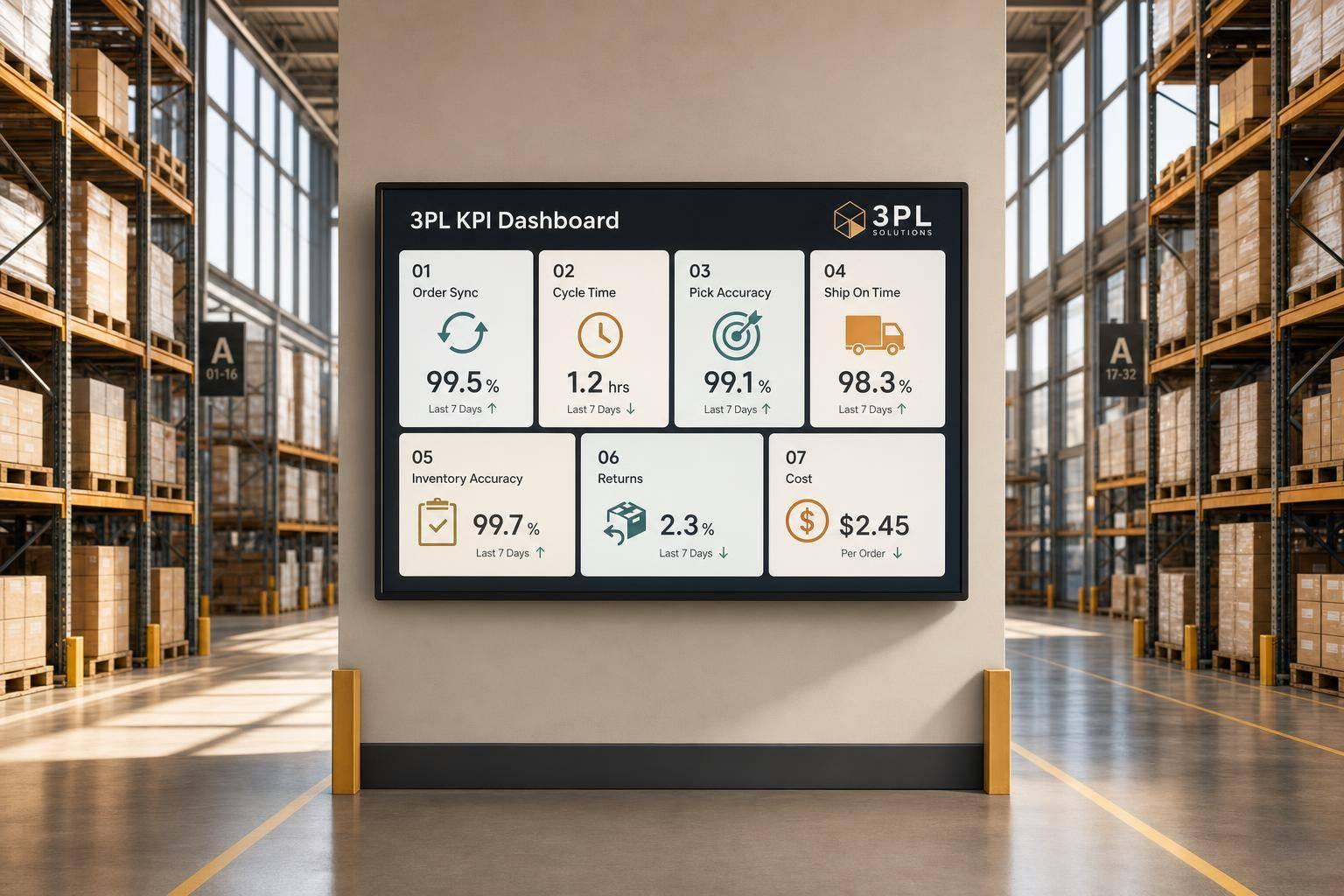
7 WooCommerce 3PL KPIs Teams Track

Centralized vs Decentralized Replenishment
